How to Calculate CPA: Formula, Examples and Benchmarks
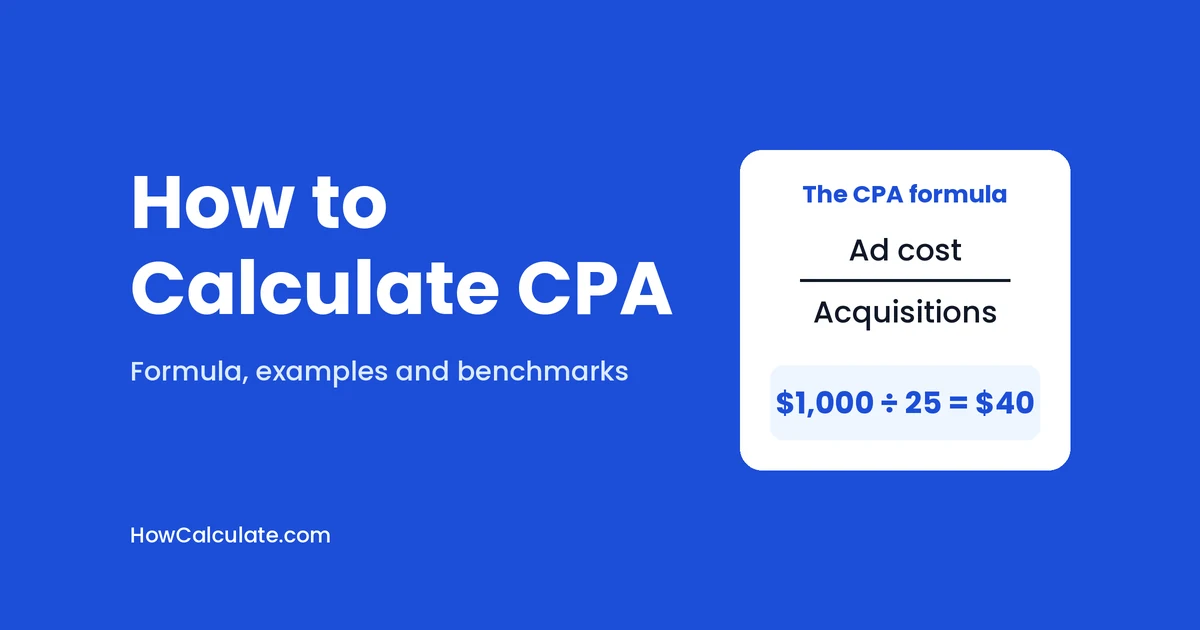
CPA, or cost per acquisition, is what you pay for each result your ads bring in. The formula is simple: total ad cost ÷ number of acquisitions. Spend $1,000 and get 25 acquisitions, and your CPA is $1,000 ÷ 25 = $40.
An acquisition is just whatever result you decide to count. It could be a sale, a lead or a signup.
In this guide, I’ll show you how to calculate CPA step by step, what the number is really telling you, and how to work out a CPA you can actually afford. (This is the marketing CPA, not the accounting qualification.) If you’d rather skip the math, the CPA calculator does it for you.
Table of Contents
What is CPA?
CPA stands for cost per acquisition. In some advertising circles, it also means cost per action, where the “action” is whatever result you choose to track. People don’t always agree on whether those two mean the same thing, so the safest habit is to say exactly what you’re counting.
Why bother with CPA? Because it connects your spending to something that matters to the business. Clicks and impressions are nice, but they don’t pay the bills. A sale or a lead does.
You’ll run into two kinds of CPA:
- Actual CPA is what you really paid, on average, for each acquisition.
- Target CPA is the CPA you’re aiming for.
Most of this guide is about getting from the first to the second.
The formula for CPA
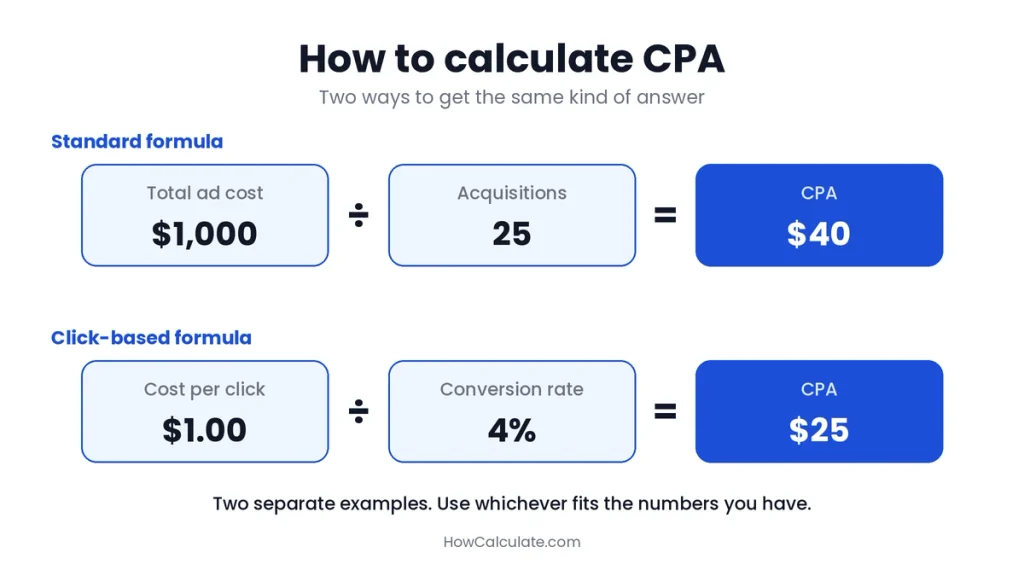
There are two ways to work out CPA. Use whichever fits the numbers you have.
The standard way: CPA = total ad cost ÷ number of acquisitions.
The click-based way: CPA = cost per click ÷ conversion rate.
The second one works for ads you pay for by the click. Here, “conversion rate” means the share of clicks that lead to the result you’re counting.
If you use a spreadsheet, put the cost in cell A2 and the acquisitions in B2, then type =A2/B2.
How to calculate CPA, step by step
- Pick one campaign and one time period, like a single month.
- Add up the ad cost for that campaign in that period.
- Count the acquisitions from the same campaign and the same dates. If you want the cost of winning new customers, count only new ones, not people who were already buying from you.
- Divide the cost by the acquisitions.
- Check that it makes sense. Compare it with your past campaigns. If it looks way too high or too low, make sure your cost and your count cover the same campaign and dates.
Say you spend $1,000 in a month and get 25 purchases. Your CPA is 1,000 ÷ 25 = $40.
CPA calculation examples
An online store. You spend $2,000 on ads and get 50 orders. CPA = 2,000 ÷ 50 = $40.
A business that collects leads. You spend $1,200 and get 60 leads. CPA = 1,200 ÷ 60 = $20 per lead.
Two channels side by side. You spend $1,500 on Meta and get 30 purchases, so your CPA there is $50. You spend $1,000 on Google and get 40 purchases, so your CPA there is $25. Google looks cheaper per purchase. But whether either one is profitable depends on your break-even number, which we’ll get to.
What your CPA is really telling you
A CPA number is more useful when you ask why it changed. The click-based formula gives you the answer.
Say your CPA is $40. That came from paying $1.60 per click, with 4% of clicks turning into purchases. Now your CPA goes up. Only two things could have happened:
- Clicks got more expensive. At $2.00 per click and the same 4%, your CPA is $50. This often happens when more advertisers compete for the same people.
- Fewer clicks turned into purchases. At 3% and the same $1.60 per click, your CPA is $53.33. That usually points to a tired ad, an audience that’s gone stale, or a weak landing page.
The fix is different for each one, so find the cause first. You can check the click side with the CTR calculator.
One more thing: a very low CPA isn’t always good news. It can mean you’re only reaching the easiest buyers, the people who would have bought anyway.
Your CPA can climb as you spend more
Your first customers can be the cheapest to win. As you grow, you may have to reach people who are harder to convert, and that can push your CPA up.
Here’s a made-up example. Your first 200 sales cost $20 each, so $4,000 in total. To grow, you reach wider audiences, and the next 100 sales cost $40 each, so another $4,000. Your average CPA is now 8,000 ÷ 300 = $26.67, which looks great. But those last 100 sales each cost $40. That’s the number to hold up against your break-even CPA.
So don’t only look at the average. Ask what the next customer costs.
Which costs should you count?
This is where the internet disagrees with itself, so let me be straight about it.
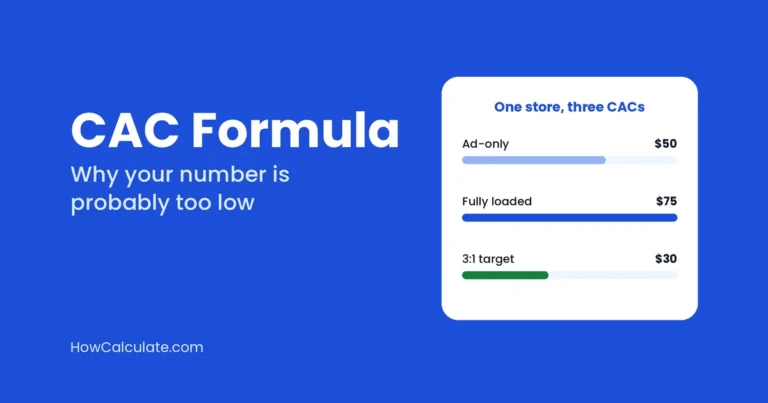
CPA is a campaign-level cost. Some guides count only ad spend, while others also add creative work and agency fees. CAC (customer acquisition cost) is the business-wide version, and it includes everything: ads, salaries, software and agency fees.
In this guide, CPA means ad spend only. It’s the cleanest way to compare campaigns. Whatever you choose, keep it the same from one month to the next, otherwise you can’t compare anything. If you want the all-in version, the CAC calculator handles it.
CPA, cost per conversion and cost per lead
Ad platforms often use “CPA” and “cost per conversion” as if they were the same thing. They’re the average cost of whatever conversion you told the platform to track. So check what yours is:
- If you track free trials, the platform’s CPA is really your cost per trial, not your cost per paying customer.
- If you track form fills, it’s your cost per lead. When a lead is the result you’re counting, cost per lead and CPA are the same number.
- If you track purchases, it’s your cost per sale.
A $100 cost per trial can be great or terrible. It depends on how many trials turn into paying customers.
Where to find your CPA in Google Ads and Meta
You don’t have to work it out by hand every time. Both platforms show it. The column names change now and then, so look around if they don’t match:
- Google Ads: look for a column called “Cost / conv.”
- Meta Ads Manager: look for “Cost per result” or “Cost per purchase.”
Make sure the “conversion” or “result” is the action you actually care about. If it’s counting page views or clicks, your CPA will look much cheaper than it really is.
What is a good CPA?
There’s no single good CPA. A $50 CPA is fantastic for a $500 sale and awful for a $20 one. What helps far more than any benchmark is knowing your own numbers.
Start with your break-even CPA. This is the most you can pay to win a sale without losing money on that sale, as long as your margin includes the costs of making and delivering it:
Break-even CPA = revenue per sale × your margin before ad spend
Let’s say you sell something for $80, and you keep 40% of that before paying for ads. Your break-even CPA is 80 × 0.40 = $32. Pay $40 per sale and you lose $8 each time. Pay $25 and you make $7. It’s the same idea as break-even ROAS, which we cover in our guide to what a good ROAS is.
Then set a target CPA. If you want to keep some profit, aim lower:
Target CPA = revenue per sale × (margin − the profit margin you want)
Both margins are shares of your revenue. With a 40% margin and a 15% profit goal, that leaves 25%, so your target CPA is 80 × 0.25 = $20.
Google Ads has a Target CPA bidding option. Let your own numbers set the target, not a benchmark, and remember it’s a goal for the average, not a promise that every conversion will cost exactly that.
And think about repeat customers. If people buy from you more than once, you can afford to pay more upfront. Triple Whale’s guide to the CPA formula suggests a rough rule: keep CPA at or below one-third of customer lifetime value. If a customer is worth $300 over time, that’s about $100.
If you’re paying for leads
Work backward from what a customer is worth. Say a customer is worth $200 after costs, and 10% of your leads turn into customers. The most you can pay per lead is 200 × 0.10 = $20. At $20 a lead and a 10% conversion rate, each customer costs you $200, which is exactly break-even.
So what do the benchmarks say?
Benchmarks are handy as a sanity check. Just don’t treat them as targets.
- Google Ads: Triple Whale’s report puts the median CPA at $28.14 for ecommerce brands. That’s up 9.96% from $25.59 a year earlier.
- Meta Ads: Triple Whale’s Meta report puts the median at $38.99, up 3.14% from $37.80. By industry, it runs from $26.80 for E-learning & Online Courses to $51.86 for Electronics and Medical Devices.
- Across paid ads: in its ecommerce dataset, Triple Whale reports a median CPA of $23.20 across more than 53,000 brands.
- Lead generation in the US: WordStream’s 2026 report shows an average cost per lead of $66.69 across US search campaigns. That’s a cost per lead, not a ready-made CPA target for your business.
The Google Ads and Meta figures cover August 2025 to July 2026. These numbers come from mixed regions, so use them as reference points. Your own break-even CPA matters more than any of them.
What CPA can’t tell you
CPA is useful, but it’s not the whole story:
- It says nothing about customer quality. Two campaigns can both have a $40 CPA, but one brings loyal repeat buyers and the other brings one-time shoppers.
- It looks backward. CPA shows what acquiring customers cost in the past. It doesn’t predict what comes next.
- Attribution can fool you. If someone sees several ads before buying, a platform may give all the credit to just one of them.
That’s why CPA works best alongside other numbers, especially ROAS, which shows how much revenue each ad dollar brings back. Our ROAS guide explains how the two fit together.
How to lower your CPA
- Improve your landing page. A clearer page and a clearer offer turn more clicks into acquisitions.
- Improve your click-through rate. Better ads can bring in more qualified clicks and, depending on the platform and the auction, can lower what each click costs you. See what a good CTR is for benchmarks.
- Aim at the right people. Stop paying to reach people who never act, and try retargeting people who already showed interest.
- Test one change at a time, like the headline, the image, or the offer. Otherwise, you won’t know what worked.
- Cut what isn’t working. Compare CPA by campaign and pause the worst ones.
- Raise your order value. This doesn’t lower your CPA directly, but other things being equal, it raises the CPA you can afford while staying profitable.
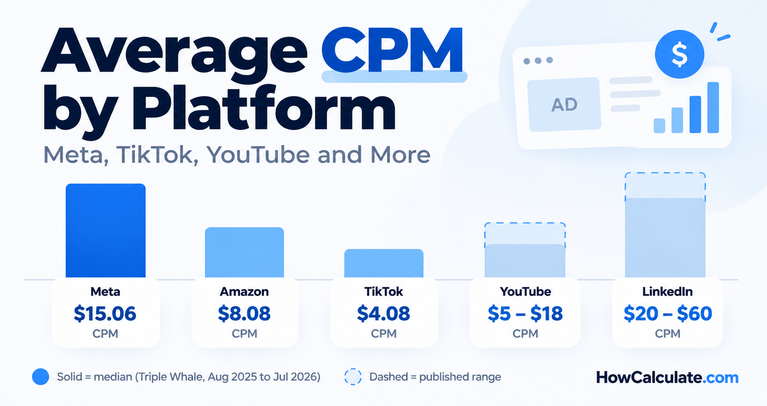
It also helps to watch the costs before the click. The CPM calculator shows what your reach costs, and our guide to average CPM by platform shows what other advertisers pay.
Common CPA mistakes
- Measuring cost and acquisitions over different time periods.
- Counting clicks or page views as “acquisitions.”
- Mixing up the cost per trial or lead with the cost per customer.
- Judging CPA without knowing your break-even CPA.
- Mixing ad-only CPA with full-cost CAC in the same report.
- Looking only at the average and missing what the next customer costs.
Frequently asked questions
What does CPA stand for?
CPA stands for cost per acquisition. It can also mean cost per action, where the action is the result you track.
How do you calculate CPA?
Divide your total ad cost by the number of acquisitions. For $1,000 and 25 acquisitions, CPA = 1,000 ÷ 25 = $40.
What is the CPA formula in digital marketing?
CPA = total ad cost ÷ number of acquisitions. For click-based campaigns, you can also use CPA = cost per click ÷ conversion rate.
How do you calculate CPA in Google Ads?
Divide the campaign’s cost by its conversions. Google Ads also shows it for you, in the “Cost / conv.” column.
How do you calculate CPA in Facebook ads?
Divide the amount spent by the number of results, such as purchases. Meta Ads Manager shows this as “Cost per result” or “Cost per purchase.”
What is a good CPA?
A good CPA is one you can afford while still meeting your profit goal. For a sale, start with your break-even CPA: revenue per sale × margin before ad spend. For leads, trials or signups, work backward from what that result is worth to your business. For reference, Triple Whale’s latest medians are $28.14 on Google Ads and $38.99 on Meta.
How do you calculate target CPA?
Multiply your revenue per sale by your margin minus the profit margin you want. Both are shares of your revenue. With an $80 sale, a 40% margin and a 15% profit goal, that leaves 25%, so the target CPA is 80 × 0.25 = $20.
Can a CPA be too low?
Yes. A very low CPA can mean you’re only reaching people who would have bought anyway, which limits your growth. Sometimes a slightly higher CPA is the price of reaching new customers.
What is the difference between CPA and CAC?
CPA is a campaign-level cost, and in this guide it counts ad spend only. CAC counts all the costs of winning a customer, including salaries, software and agency fees.
How do you calculate CPA in Excel or Google Sheets?
Put your cost in one cell and your acquisitions in another, then divide them. For example, =A2/B2.
Calculate your CPA
Put your own numbers into the HowCalculate CPA calculator to find your CPA, your budget or your break-even CPA. To see how every step connects, from reach to revenue, browse all the marketing calculators.
How I found these numbers
The Google Ads and Meta CPA medians come from Triple Whale’s published reports, which cover August 1, 2025 to July 31, 2026. The $23.20 figure is from Triple Whale’s ecommerce benchmarks page, and the lead figure is from WordStream’s 2026 report. Each source is linked where it appears. The examples, break-even CPA, target CPA and cost-per-lead figures are my own calculations, and I rechecked them.
These numbers are reference points, not targets or guarantees, and nothing here is financial advice.